Python 制作词云

The cloud stood humbly in a corner of the sky. The morning crowner it with splendor. 白云谦逊地站在天之一隅,晨光给他戴上了霞彩。

泰戈尔飞鸟集

What is 词云

“词云”(Wordle,Word cloud)就是对网络文本中出现频率较高的“关键词”予以视觉上的突出,简单说就是由词汇组成类似云的彩色图片。

准备依赖包

网上自动生成词云的网站有很多,在这里使用 “wordcloud” 依赖,功能强大,简单易上手。若需要做中文的词云,需要中文分词工具“jieba ”对文本解析。 安装 wordcloud 和 jieba:pip install wordcloudpip install jieba。如果你安装了多个版本的 Python,则前者默认给Python3安装,若需要给python2 安装 wordcloud,使用 py -2 -m pip install wordcloud

英文词云

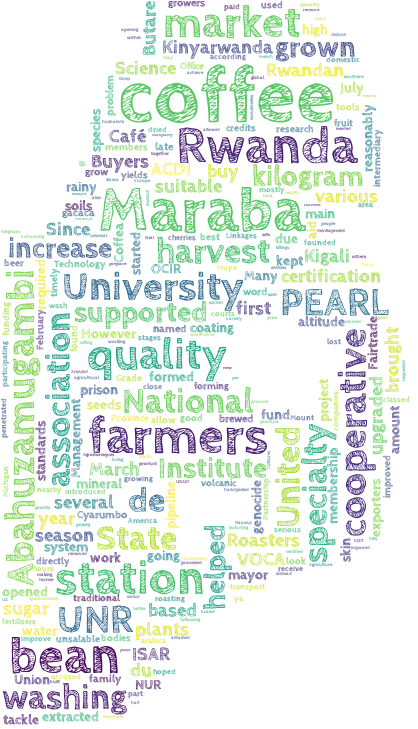
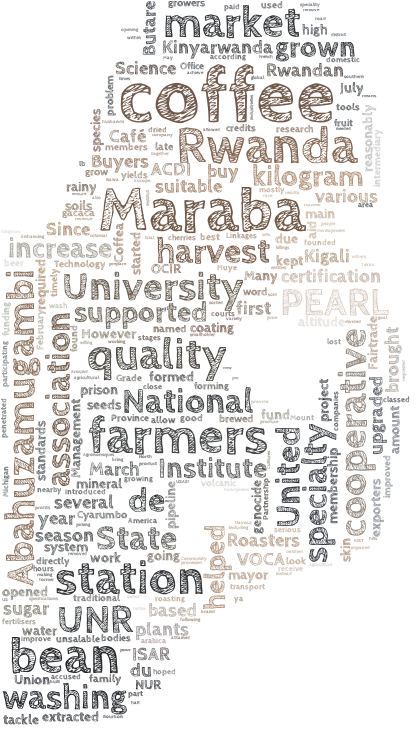
这个代码会生成两个词云作为对比,一个是随机颜色,一个是以照片底色为基准颜色的词云。在 WordCloud 方法中,可根据自身需要更改参数以取得最佳效果。

#! python3
from PIL import Image
import numpy as np
import matplotlib.pyplot as plt
from wordcloud import WordCloud, STOPWORDS, ImageColorGenerator

text = open('txt/Maraba.txt').read() # 选择文本
alice_coloring = np.array(Image.open("sb.jpg")) # 模板图片
stopwords = set(STOPWORDS)
stopwords.add("said")

wc = WordCloud(background_color="white", max_words=2000, mask=alice_coloring,
stopwords=stopwords, max_font_size=80, min_font_size=5,
font_path='CabinSketch-Bold.ttf',
random_state=42)
wc.generate(text)
image_colors = ImageColorGenerator(alice_coloring)

plt.imshow(wc, interpolation="bilinear") # 词云颜色随机
plt.axis("off")
wc.to_file('sb1.png') # 保存图片到文件

plt.figure() # 新建画布
wc2 = wc.recolor(color_func=image_colors) # 以图片底色作为词云底色
plt.imshow(wc2, interpolation="bilinear")
plt.axis("off")
wc2.to_file('sb2.png')

plt.show()

以下是效果图及对比:

害羞的刘洪宇
随机彩色
原图色

中文词云

开始运行行代码的时候,只显式了若干彩色的小矩形框(乱码,Python 的字符编码令人抓狂),中文词语显式不出来,网上搜博客说是 wordcloud 生成词语的字体问题。进入wordcloud.py 的源码,找字体库相关的代码FONT_PATH = os.environ.get("FONT_PATH", os.path.join(os.path.dirname(__file__),"DroidSansMono.ttf")),将之改为支持中文的字体即可解决。

#! python3
# encoding=utf-8
import numpy as np
from PIL import Image
import jieba
import jieba.analyse as analyse
import matplotlib.pyplot as plt
from wordcloud import WordCloud, STOPWORDS, ImageColorGenerator

alice_coloring = np.array(Image.open("logo1024.jpg"))
stopwords = set(STOPWORDS)
stopwords.add("said")

def chinese():
string = ""
with open('hotWords.txt', 'r', encoding='GBK') as f:
for i in f:
string += i
liction = analyse.textrank(string, topK=50, withWeight=True)
keywords = {}
for word in liction:
keywords[word[0]] = word[1]

return keywords

wc = WordCloud(background_color="white", max_words=2000, mask=alice_coloring,
stopwords=stopwords, max_font_size=80, min_font_size=2,
#font_path='CabinSketch-Bold.ttf',
random_state=42)

wc.generate_from_frequencies(chinese())
image_colors = ImageColorGenerator(alice_coloring)

plt.imshow(wc.recolor(color_func=image_colors), interpolation="bilinear")
plt.axis("off")
wc.to_file('weibo_logo1024.jpg')
plt.show()
中文分词
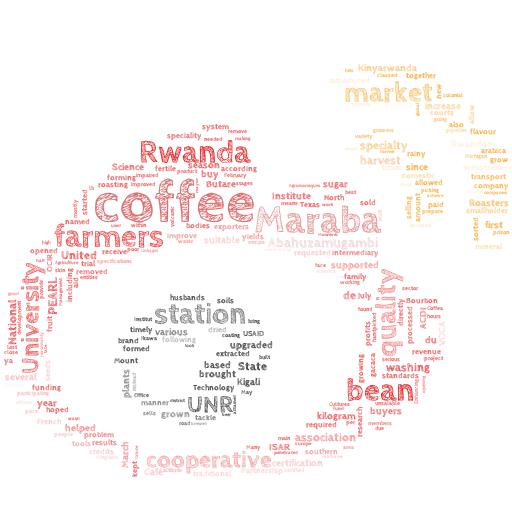
英文对比

另附:下载微博热搜榜热搜词代码(默认下载三次)。简单的说,这个代码也是一个小爬虫,通过多次刷新热搜榜以获得较多的样本数量,将热搜词爬取下来保存为文本。

#! python3
# -*- coding:utf-8 -*-

import time
import urllib.request as ulb
from bs4 import BeautifulSoup as bs

def download(url, proxy=None, num_retries=2):
headers = {'User-Agent':'Mozilla/5.0 (Windows; U; Windows NT 6.1; en-US; rv:1.9.1.6) Gecko/20091201 Firefox/3.5.6'}
print ("Downloading: "+url+"...")
request = ulb.Request(url=url, headers=headers)
time.sleep(1)
try:
html = ulb.urlopen(request).read()
except ulb.URLError as e:
print ("Download Error: " + str(e.reason))
html = None
if num_retries > 0:
if hasattr(e, 'code') and 500 <= e.code < 600:
return download(url, num_retries-1)
return html

def getList():
url = 'http://s.weibo.com/top/summary?cate=realtimehot'
html = download(url)
soup = bs(html, 'lxml')
plist = soup.find_all('p',class_='star_name')
list = []
for tag in plist:
list.append(tag.contents[1].string)

return list

if __name__ == '__main__':
list = []
for i in range(3):
list = list + getList()
list.append('\n')

with open('hotWords.txt', 'w') as f:
for word in list:
f.write(word+'\n')